
Video Swap Face: A Friendly Guide to AI Video Face Swapping

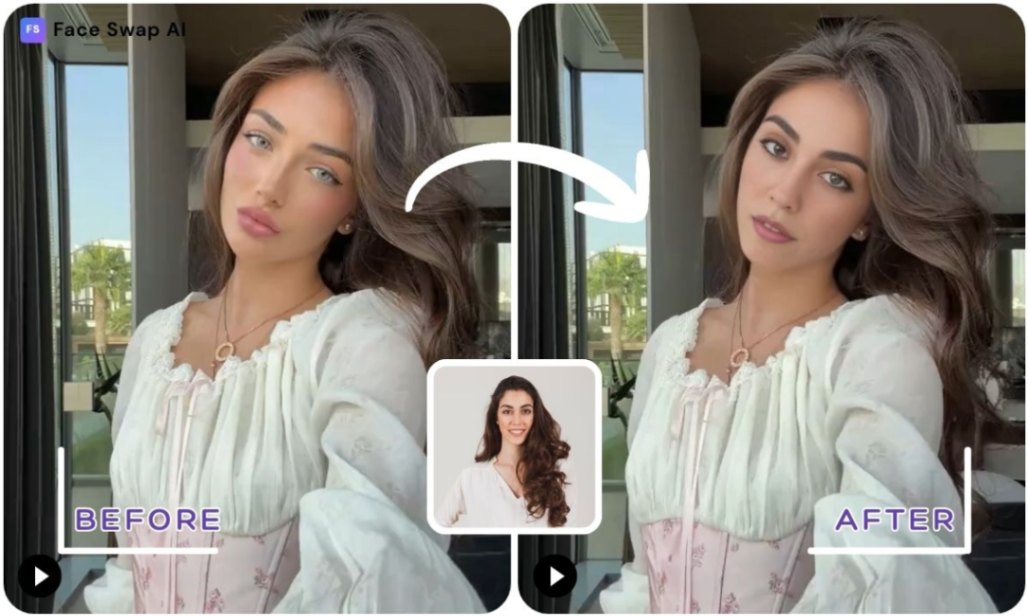
Video face swapping has moved from movie studios to your browser. Powered by advances in AI and machine learning, it lets anyone replace a face in a clip with another in seconds. Whether you want to put yourself in a music video, create a funny meme or make marketing content, a video‑swap face app offers an imaginative playground.
In this guide you’ll learn how the technology works, how to pick the best app, and why FaceSwapAI is a friendly, creative place to start.
Key Takeaways
- AI makes video face swapping easy – Modern tools use generative adversarial networks (GANs), where two neural networks work together to produce realistic swaps. This technology takes facial features from a source face and blends them onto a target video frame.
- Choose the right app – Pick a video‑swap face app that offers high resolution, ease of use and strong privacy. Tools like JoggAI focus on realism and multi‑media support, while Face Swap AI offers multi‑face and batch swapping.
- Step‑by‑step face swapping is simple – Upload your video, upload a face photo, adjust settings and let the AI do the work. High‑quality photos and consistent lighting help produce convincing results.
- Be creative and ethical – Have fun swapping faces into movie scenes or marketing clips, but respect privacy and avoid malicious uses. Researchers note that democratized face swap technology raises concerns about non‑consensual content and misinformation.
How Does Video Face Swap Work?
AI face swap tools rely on generative adversarial networks (GANs). A GAN consists of two neural networks: a generator that produces synthetic faces and a discriminator that judges whether those faces look real. During training they compete, gradually improving until the generated faces become indistinguishable from real ones. Modern face swapping systems extend this idea to video by detecting a face in each frame, extracting its features and blending the new face onto it.
The introduction of GANs in 2014 allowed AI to generate highly realistic synthetic faces. Subsequent improvements, such as progressive training and one‑shot models, made it possible to swap faces with just one reference photo.
Also Read: How Do I Change a Face on a Picture? Step‑by‑Step Guide to Changing Faces in Photos & Videos
Top Video Swap Face AI Apps and Why FaceSwapAI Leads
FaceSwapAI: Instant AI Video Face Swap
FaceSwapAI’s Video Swap Lab lets you upload a face photo and a video, choose the swap strength and edge smoothness, and get a realistic result in seconds. The site supports landscape and portrait videos up to 30 seconds long and gives HD outputs without watermarks. Its privacy‑first approach deletes files after processing. Users also get access to Image Swap, GIF Face Swap, and even playful tools like Baby Prediction and Skin Retouch. With no learning curve, it’s perfect for both casual users and creators.
Ready to see yourself in a movie? Start AI Video Face Swap now and let your imagination take over.
Other Free Video Face Swap Apps
- JoggAI Face Swap – Great for short videos and GIFs with realistic blending. Limited free quota means you’ll need an account for more swaps.
- Remaker AI – Offers multi‑face and video swapping and works across devices. Tutorials stress simple upload‑and‑swap steps.
- LoveFaceSwap & RemixAI – Provide unlimited or watermarked swaps for fun projects; lovefaceswap emphasises group swaps and strict privacy.
- SwapFace – Specialises in full‑length video swaps up to 10 minutes and includes GIF and batch options.
Although these tools are impressive, many limit resolution, shorten video length, or charge after a handful of free swaps. FaceSwapAI offers a more flexible experience with free credits for basic use, HD photo swapping, secure cloud processing, and watermark-free downloads. Premium users can swap videos up to two minutes at 480p, unlock advanced tools and NSFW features, and enjoy fast, realistic results supported by smart facial alignment and safe, private file handling.
Also Read: Best Face Swap App Guide 2025 – Top AI Face Swapping Apps, How‑To, Tips & Ethics
How to Change Face in Video Using AI
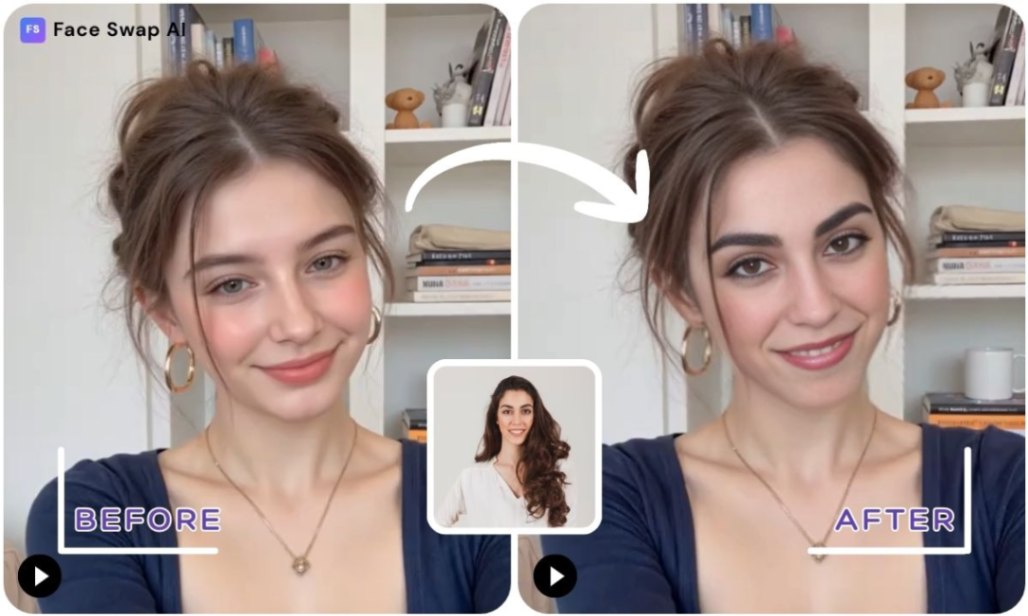
Want to drop your face into any clip? Here’s how to do it using Face Swap AI’s Video Swap Lab:
1. Choose your platform.
Go to FaceSwapAI.com and open the Video Swap page to enter the AI Video Face Swap Lab, where you can upload your own media or choose from Face Swap AI’s built-in video and source-image templates.
2. Upload the target video.
Select the video you want to modify. Face Swap AI supports both landscape and portrait clips, but short videos (under 30 seconds) process fastest. Make sure the face in your video is well-lit and clearly visible.
3. Upload your face.
Add a clear, front-facing photo of the person you want to swap into the video. Avoid side angles or obstructed faces. You can also choose a sample face from the platform’s source-image template library.
4. Adjust settings.
Customize the results by tuning swap strength and edge smoothness. These controls help refine blending, lighting, and facial consistency for more natural-looking results.
5. Generate and download.
Click Start Video Swap and let the AI process your video frame by frame. Processing times vary depending on clip length, so keep the page open. Once complete, preview your swap and download your HD result.
Tip: For the most seamless blend, use a high-quality frontal face photo and a target video with similar lighting and clear facial visibility. Longer clips will take more time to render, so start with short samples if you’re experimenting.
Also Read: How to Make Photo a Video – Free Methods, Online Tools & AI Apps (2025 Guide)
Choosing the Right Video Swap Face App
When shopping for a face‑swap video AI, consider:
- Realism: Look for tools that use high‑precision facial alignment and expression blending. A tool should match skin tone and lighting for natural results.
- Ease of use: Drag‑and‑drop uploads and browser‑based operation save time. Apps like FaceSwapAI emphasise intuitive workflows.
- Media support: Decide whether you need photos only or GIFs and full videos.
- Free usage: Check how many free swaps you get. FaceSwapAI provides free credits for basic use without a subscription.
- Privacy: Choose services that encrypt and delete your uploads. Face swap tools can raise privacy concerns and that misuse can lead to non‑consensual content and misinformation. FaceSwapAI automatically deletes uploaded files after processing to ensure your privacy and data security.
FaceSwapAI scores high across these areas, offering free credits without subscription, watermark‑free results, simple steps, and robust privacy.
Creative Use Cases for Video Face Swap
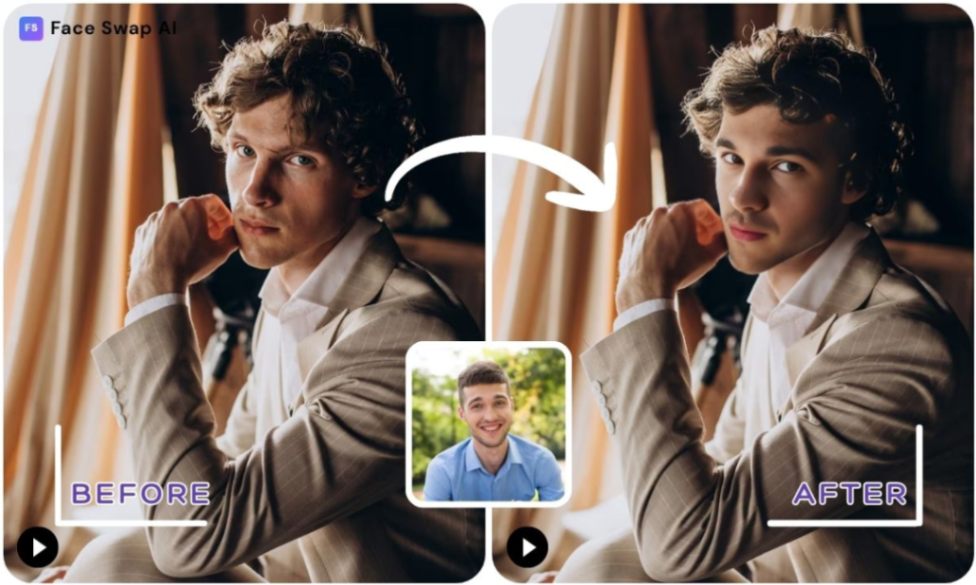
Video face swap technology opens endless possibilities:
- Reimagine yourself in films. Drop your face into iconic movie scenes or trending music videos. FaceSwapAI’s Video Templates let you paste a TikTok or Facebook link and generate a face‑swap clip instantly.
- Marketing and entertainment. Brands can create humorous product ads by swapping spokespeople into different settings. Marketers can use swap‑face videos to engage audiences.
- Social media memes. Turn inside jokes into share‑worthy GIFs using FaceSwapAI’s GIF Face Swap tool. The platform can handle multiple faces and group shots.
- Character cosplay or gender swaps. Try a gender swap, morph into a celebrity, or turn into an anime character. FaceSwapAI offers unlimited creativity, encouraging users to break dimensional barriers.
Want to try something different? Explore GIF Face Swap or Multiple Face Swap to create group memes in seconds.
Also Read: Face Swap Pictures: How to Swap Faces in Photos with AI Tools & Creative Ideas
Tips for Realistic Face Swap Video AI
- Use clear, frontal photos. High‑resolution images with well‑lit faces give the AI more detail to work with.
- Match angles and lighting. Align the source face angle and lighting with the target video to avoid mismatched shadows.
- Choose short clips. Short videos (under 30 seconds) process faster and reduce flicker.
- Adjust settings gradually. Start with moderate swap strength and smoothness. Overdoing it can look unnatural.
Ethics, Privacy and Safety
Face swap technology isn’t just fun; it also raises ethical questions. Easy access to face swapping can lead to non‑consensual use, misinformation and identity fraud. That’s why it’s important to respect privacy and always obtain permission when using someone else’s likeness.
FaceSwapAI upholds a privacy‑first ethos: uploads are securely processed and deleted after a short time, and there’s no judgement zone. The tool is meant for creative exploration, not harm.
Conclusion
Video face swapping is more accessible than ever. Thanks to AI and GANs, you can put yourself in any scene, build engaging marketing content or create hilarious memes with a few clicks. The key is choosing a tool that combines quality, ease, privacy and creativity.
FaceSwapAI delivers all of these, with free HD results, a user‑friendly interface and an ever‑growing suite of creative tools. Respect the technology’s power, have fun responsibly, and let your imagination take over.
Frequently Asked Questions (FAQ)
How can I change my face on video?
Upload the video and a clear photo of your face into a video‑swap face app like FaceSwapAI, adjust settings, and click Start Video Swap. The AI analyses both images and merges your face onto the target frames.
Is there a free video face swap app?
Yes. FaceSwapAI offers free HD swaps with no watermarks, while tools like JoggAI and Remaker AI provide limited free trials. Always check each app’s policy on video length and usage limits.
How do face swap video AI tools keep my data safe?
Reputable services encrypt your uploads and delete them after processing. For example, FaceSwapAI automatically deletes uploaded files after processing to ensure your privacy and data security.
What’s the difference between image swap and video swap?
Image swap replaces faces in still photos; video swap tracks and blends faces across multiple frames. Video swapping requires more processing time and often works best with short clips.