
Transforming Your Photos: The Complete Guide to Face Swap Pictures

What Are Face Swap Pictures and How Does AI Make Them Possible?
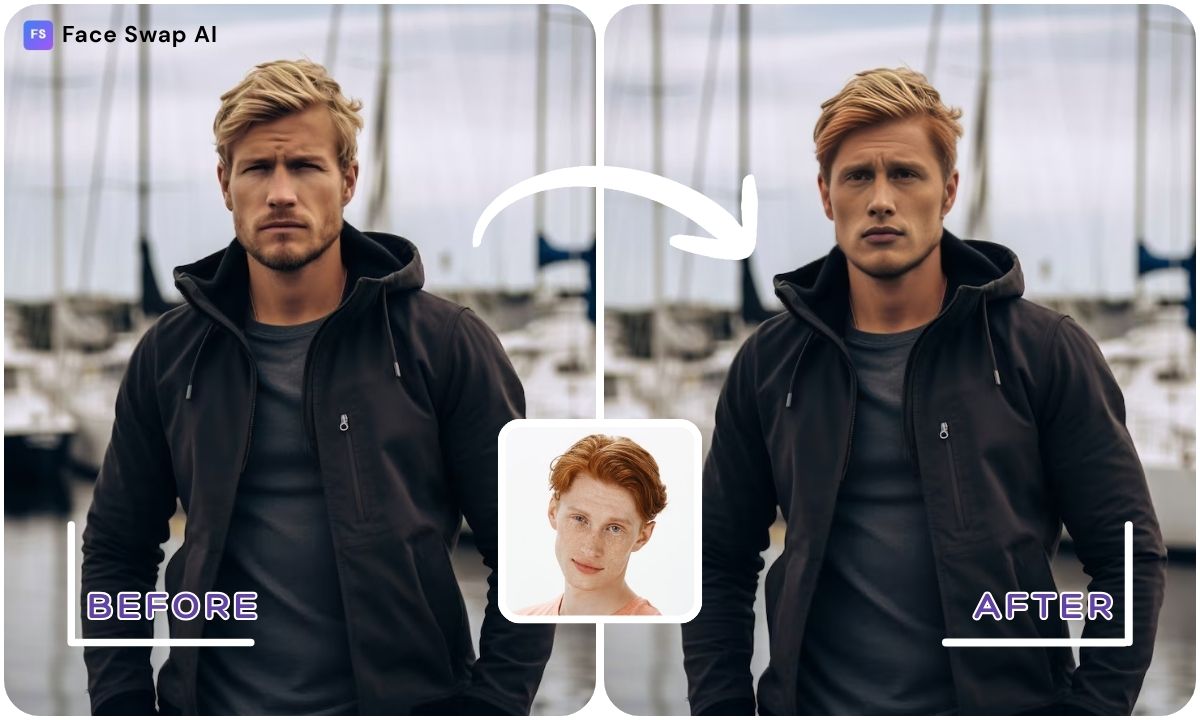
Face swap pictures are images where one person’s face is digitally replaced with another’s. Face swap is an AI‑powered technology that uses algorithms to replace somebody’s face with someone else’s in an image or video. The result keeps the background and content intact while swapping the facial features, creating a strange or funny effect.
Modern AI face swap engines analyse facial landmarks, lighting and skin tone to blend the new face seamlessly onto the target image. They detect and align facial geometry, apply realistic lighting and shading, and blend skin textures so the swapped face appears natural. This technology lets anyone, even without photo‑editing skills, create believable face swaps in seconds.
Key Takeaways
- Face swap basics. AI face swap technology uses sophisticated algorithms to replace one person’s facial features with another’s, keeping the rest of the image intact and creating a humorous or striking effect. It’s the engine behind modern face swap pictures.
- Simple, step‑by‑step swapping. Swapping faces in pictures is easy: open a face‑swap tool, upload the source and target images, run the swap and download your new photo. Tools like FaceSwapAI’s Image Swap lab follow this four‑step process.
- Creative possibilities. Face swap pictures aren’t just for laughs; you can make professional headshots, gender‑swap photos, group‑photo fixes or even place yourself into classic paintings. Advanced tools even offer 3D avatars and virtual makeovers.
- Use tools responsibly. Face swapping is legal when used with consent and for positive purposes. Always respect privacy and avoid misleading deepfakes. Choose platforms like FaceSwapAI that prioritize secure processing and user privacy.
How to Swap Faces in Pictures: A Step‑by‑Step Tutorial
Using Online AI Tools
- Choose a face‑swap tool. Select a trusted AI platform such as FaceSwapAI’s Image Swap Lab, Pixlr’s AI Face Swap, Canva or another site. These tools handle the technical work so you don’t need editing experience.
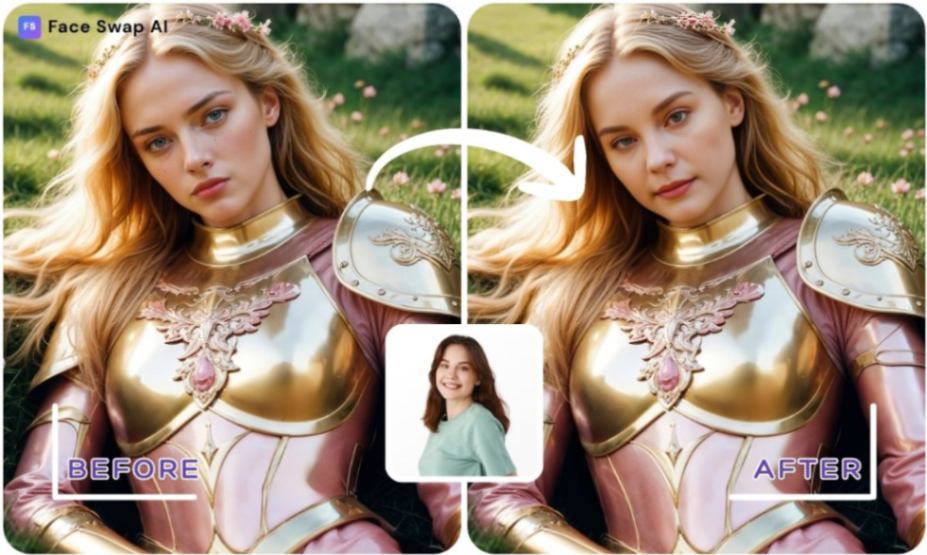
- Upload your photos. Open the face‑swap page and upload two images: your source face and the target photo. For best results, use clear, front‑facing photos with similar lighting and angles. Multiple faces can be detected automatically for group photos.
- Run the face swap. Click the swap or generate button. The AI will analyze the faces, align features and blend them. Your chosen tool should seamlessly blend the face from the source photo onto the target photo.
- Download and refine. Once the result appears, download the new image in the format options provided by your tool. Some tools offer editing sliders for swap strength or edge smoothing so you can tweak the result.
Try it yourself: Face Swap AI’s Image Swap lets you upload two photos, adjust swap strength and edge smoothness, and generate an HD face swap in seconds. It’s free and privacy‑friendly, with no watermarks.
Manual Editing with Photoshop
For complete control, you can manually swap faces in Photoshop.
- Adobe’s recommended workflow begins by importing both images—the main photo and the one containing the face you want to use.
- Position the face roughly over the original, then use Edit → Auto-Align Layers to match head angles and perspective.
- Next, add a layer mask to the new face layer and use a soft-edged brush to gently reveal or hide areas until the blend looks natural. This lets you merge skin edges, adjust contours and fine-tune how the two images overlap.
- To finish, match lighting and colour using tools like Image → Adjustments → Match Color, Curves, or Hue/Saturation, then refine edges with Gaussian Blur or Feather to smooth transitions. This method takes more time, but it gives you precise control over alignment, tone and blending—ideal when you want the most realistic manual result possible.
Also Read: Best Face Swap App Guide 2025 – Top AI Face Swapping Apps, How‑To, Tips & Ethics
Different Ways to Swap Faces: AI Tools vs. Manual Editing
AI platforms and manual tools each have advantages:
- AI tools (FaceSwapAI, Pixlr, Canva) are fast and require no expertise. You simply upload photos and let the AI handle alignment and blending. Some offer templates (superheroes, animals, professional headshots) for instant creative swaps. Many tools are free or low‑cost and include privacy‑focused processing.
- Manual editing using Photoshop or GIMP offers precise control. You decide exactly how the face aligns, adjust layers and masks, and colour‑correct to match skin tones. Manual editing is great for professional projects or when AI tools misinterpret complex scenes. However, it requires photo‑editing skills and more time.
Fun and Creative Uses for Face Swap Pictures
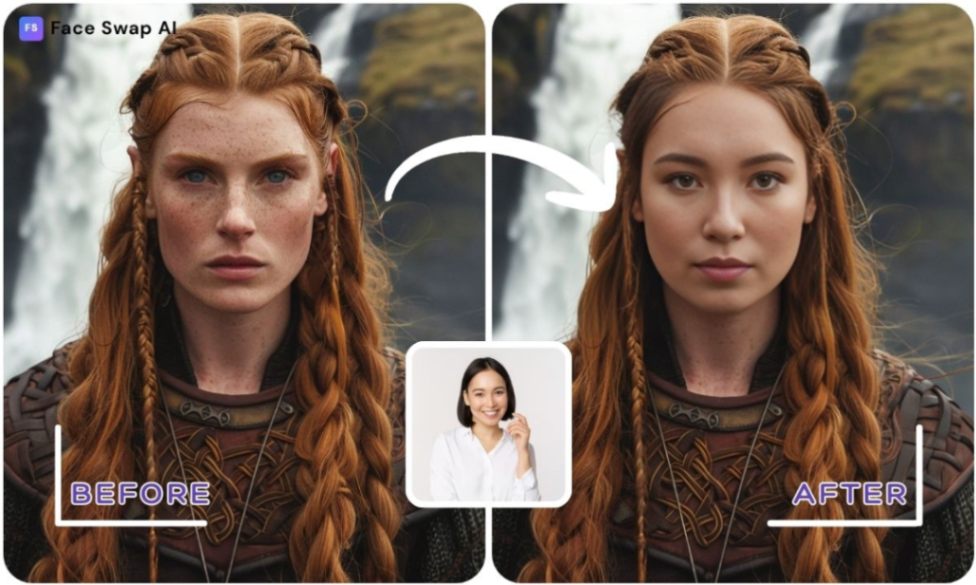
Face swapping goes beyond simple pranks. Here are imaginative ways people use it:
- Fix group photos or headshots. If someone blinked in a group shot, swap in a better expression from another photo; Adobe notes this is a common use. You can also create polished headshots by blending your face into professional portraits.
- Memes and viral content. Swapping faces is a popular, trending feature that generates hilarious memes and deepfake photos. You can insert yourself or friends into iconic memes for laughs.
- Gender swaps and identity exploration. Tools allow you to explore gender presentations and identities by seamlessly swapping male and female faces. It’s a fun way to see yourself in different roles without judgment.
- Age and time travel. You can merge your face with images from different life stages to show you as a child, teen or elder.
- 3D avatars and virtual makeovers. Advanced tools can blend your face into 3D models or enable virtual makeover changes with new hairstyles, outfits and makeup.
- Art and pop culture. Become the Mona Lisa or your favourite movie hero by blending your face into classic paintings or film stills.
Get creative: FaceSwapAI’s Multiple Face Swap and Batch Face Swap tools support swapping several faces in one photo or across multiple photos. You can even create GIFs with the GIF Face Swap and transform yourself into characters with smart Video Templates. These options unleash endless creativity.
Also Read: Video Swap Face AI: How to Change Faces in Any Video – Free Apps & Pro Tips
Tips for Realistic, High‑Quality Face Swap Pictures
- Use clear, front‑facing photos. Photos should show the face clearly, with good lighting and minimal obstruction. Uploading high‑quality images helps the AI analyse facial features and deliver realistic swaps.
- Match angles and lighting. Choose photos where the faces have similar angles and light sources. If angles differ, results may look unnatural. AI tools often include sliders for strength and smoothness to fine‑tune the blend.
- Adjust swap strength and edge smoothness. FaceSwapAI lets you set swap strength and edge smoothness for seamless blending—start with medium settings and adjust based on your photos.
- For manual edits, align precisely. When using Photoshop, align the new face with the original using Auto‑Align and adjust opacity to see underlying features.
- Take advantage of templates. Many AI platforms offer built‑in templates for superheroes, celebrities or landscapes. These templates ensure the target image has correct angles and lighting.
- Also Read: How to Make Photo a Video – Free Methods, Online Tools & AI Apps (2025 Guide)
Ethical and Legal Considerations
- Face swapping is fun, but it must be used responsibly.
- Face swap apps are safe when used responsibly; you should swap faces with consent and avoid using the tool for anything misleading, harmful or deceptive.
- It’s legal for personal, creative or entertainment purposes, provided you have permission from the people involved.
- Avoid impersonating or misleading others, and don’t share deepfakes that could harm reputations.
- Choose platforms that respect privacy. Face-swapping apps may collect personal data and pose privacy risks . FaceSwapAI processes photos securely, deletes files after a short period and includes no watermark.
- When uploading photos, ensure they do not violate others’ rights.
- Finally, remember that different countries have laws regarding deepfakes; always check local regulations before sharing face‑swap content.
Choosing the Best Face Swap Pictures App
There are many tools available; here’s how to choose:
- Ease of use and speed. Look for tools that let you swap faces in a few clicks. Choose tools that swap faces quickly and deeply analyze each photo while providing simple usage.
- Quality and realism. Advanced AI algorithms deliver natural results. The tool should produce realistic, seamless swaps. There are some that also include virtual makeovers, 3D models and multiple face swaps.
- Privacy and security. Ensure your photos are processed securely. FaceSwapAI deletes files after processing and offers a privacy‑first environment. User privacy is our priority and images are deleted regularly.
- Customisation and templates. Tools with adjustable swap strength, edge smoothness and template libraries allow creative freedom. FaceSwapAI offers templates for images, videos, GIFs, and social media posts.
- Cost and credits. Some platforms offer free swaps with credit limits (Canva offers only two free credits). FaceSwapAI provides free image swaps with no watermark, plus premium features for batch or video swaps.
Why FaceSwapAI Stands Out
The platform offers a privacy‑first, no‑watermark face swap experience. Users can swap faces in single photos or multiple images, create GIFs and videos, generate 3D avatars and even predict baby appearances. The intuitive interface and HD outputs make it suitable for casual fun and professional content. Try the Image Swap or Video Swap tool to experience instant transformations.
Also Read: How Do I Change a Face on a Picture? Step‑by‑Step Guide to Changing Faces in Photos & Videos
Other Things to Know About AI Face Swap Apps
Comparing Free vs. Premium Tools
Whether you’re exploring how to face swap pictures for fun or for professional results, the differences between free and premium tools matter. Free tools offer quick swaps with basic features, while paid platforms unlock HD exports, batch swapping, video swaps, templates and priority processing. Premium versions also tend to provide more consistent blending and customer support. Your choice depends on whether you need fast one-click results or deeper control.
Historical Evolution of Face Swapping
The journey of face swap pictures goes far beyond modern AI. Early swaps were done manually in Photoshop using layers and masks—time-consuming but effective. Mobile apps later introduced real-time filters and AR effects, making face swapping accessible to everyone.
Today’s deepfake engines combine neural networks, landmark detection and advanced blending to create photorealistic results, transforming how we think about how to face swap and who can do it.
Professional and Real-World Applications
Face swapping isn’t just for entertainment.
- Brands use swap faces AI to personalise ads, educators use it to localise learning materials and filmmakers use it to preview scenes or replace stunt faces.
- E-commerce platforms integrate face swaps into virtual try-on tools, letting users preview makeup, hairstyles or outfits.
These professional uses highlight why face swap pictures have become a powerful creative technology.
Troubleshooting and Best Practices
If you’re wondering how do you swap faces on a picture and get better results, these tips help.
- Use high-resolution photos, match lighting and angles, and avoid photos with motion blur.
- If results look distorted, try adjusting swap strength or choosing a clearer source image.
- When editing manually, align features precisely and refine edges with soft masks.
- Matching light direction is often the key to a clean, natural blend.
Creative Ideas and Themed Projects
Face swap pictures are incredibly versatile.
- Create holiday cards, birthday edits or seasonal memes; blend your face into classic paintings or movie posters; or try multiverse-style swaps that show you in different eras or roles.
- Celebrity swaps, retro posters and story-based edits are also popular.
These ideas are perfect for experimenting with how to swap a face in a picture and exploring what your creativity can do.
Frequently Asked Questions (FAQs)
What is face swap?
Face swap is an AI technology that exchanges a person’s facial features with another’s while keeping the rest of the image intact. It uses machine‑learning algorithms to align and blend facial structures.
How do I swap faces on a picture?
Use an AI face‑swap tool: upload your source and target images, click Swap and download your result. For manual editing, use Photoshop: layer the two images, add a mask and brush to reveal the new face.
Is face swapping legal?
Yes—when you have permission from all parties involved. Face swapping is legal for personal or creative use but requires consent and prohibits harmful deepfakes.
How can I get the best results?
Use high‑quality, front‑facing photos with similar angles and lighting. Tools recommend clear facial features and good lighting for realistic swaps. Adjust swap strength and edge smoothness if available, and align faces precisely when editing manually.
What apps can I use to swap faces for free?
Free AI face‑swap tools include FaceSwapAI (image swaps, video swaps, multiple faces, GIFs), Pixlr’s AI Face Swap (limited free credits) and Canva’s face‑swap template. Always check for watermark and privacy policies before uploading photos.