
How Do I Change a Face on a Picture? Your Ultimate Guide to Fun, Safe Face‑Swapping

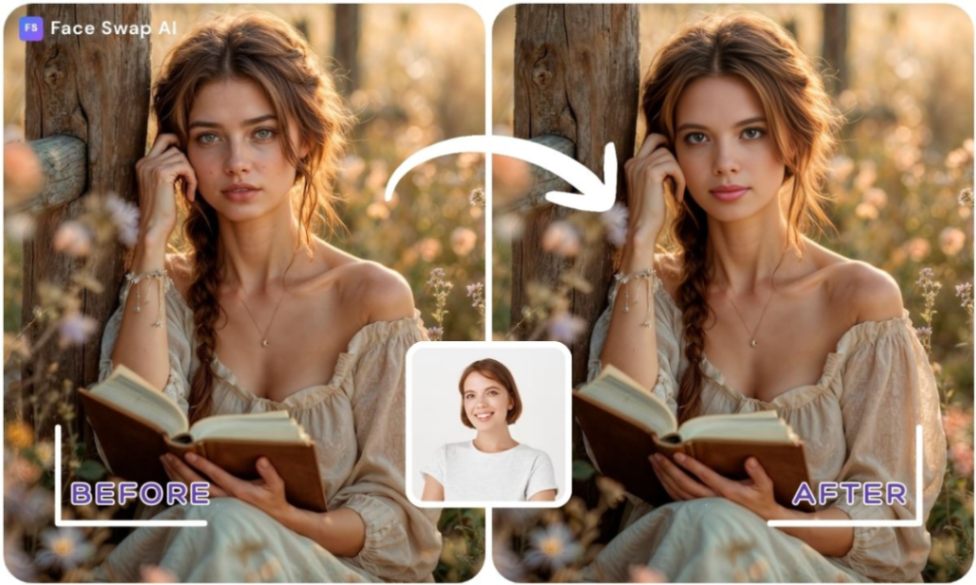
Changing a face in a picture used to require hours in photo‑editing software. Today, the combination of artificial intelligence, mobile apps and intuitive web tools makes it possible for anyone to swap faces in seconds.
Whether you want to fix a blink in a group photo, imagine yourself in a movie scene or create memes for social media, this guide will show you how to change a face on a picture, safely and creatively.
Key Takeaways
- Face swapping is more than cut‑and‑paste. Modern AI face‑swap tools analyze facial features, expressions and lighting to replace one face with another in photos, videos or GIFs. The best apps make the results look natural and realistic.
- Choose the right method for your goal. Free online AI tools, mobile apps and professional editors like Photoshop all offer ways to change a face in a photo. AI tools excel at speed and ease, while manual methods give you more control.
- Quality inputs lead to better swaps. Use clear, front‑facing photos with good lighting and similar angles. Matching skin tones and sizes helps your final image look seamless.
- Be creative but stay ethical. Face swapping can be hilarious and inspiring, yet misusing AI‑generated images raises privacy, defamation and identity‑theft concerns. Always get consent and follow local laws.
Understanding Face Swapping
What is face swapping?
Face swap technology is a digital technique powered by AI that replaces one person’s face with another in a photo, video or GIF. Unlike a simple cut‑and‑paste, it uses deep learning algorithms to analyze facial features, expressions, lighting and head movements.
Tools often rely on Generative Adversarial Networks (GANs), where a generator network creates synthetic images and a discriminator network critiques them until the results look real. This technology has become mainstream thanks to mobile apps like Snapchat and TikTok and is now used in film, marketing, education and gaming.
Why do people change faces in photos?
Face swapping started as a novelty but has grown into a creative playground. Here are a few reasons people love it:
- Entertainment value. AI face swap tools can create hilarious results for parties or social media posts; the laughter from swapping faces with celebrity images can make a birthday celebration, or any occasion, unforgettable.
- Boosting creativity. Marketers have used face swaps to design memes that generate higher engagement than traditional ads. Teachers can swap historical figures’ faces to make lessons more engaging.
- User‑friendly tools. Modern face‑swap apps are designed for beginners. Even non‑technical friends can upload a photo and swap faces within seconds.
- High‑quality results. Advanced AI tools produce professional‑grade outputs, so your swapped photo can look polished enough for marketing or print.
A Brief History of Face Swapping
Early face swaps began with manual photo- and video-morphing techniques during the 2000s, often yielding rough or obvious results. Over time, advances in computer vision and machine learning enabled more automated swapping tools.
Around late 2017 the term deepfake emerged to describe hyper-realistic face-swapping videos powered by neural networks and GAN-based methods. Today, face-swap tools are widely accessible via mobile apps and web platforms, and the AI face-swap software market alone was valued at approximately US $1.6 billion in 2023 and is projected to reach US $2.3 billion by 2031,. While precise user-counts are hard to verify, millions of people now share face-swap pictures and videos on social media.
Also Read: Best Face Swap App Guide 2025 – Top AI Face Swapping Apps, How‑To, Tips & Ethics
Choosing the Right Tool to Change a Face in a Photo
The method you choose depends on your needs. Below are several options ranging from free AI tools to professional software. Each tool suits different scenarios, and we’ll explain how to change a face in a picture using each one.
Option 1. Change Face in Photo Free With Online AI Tools
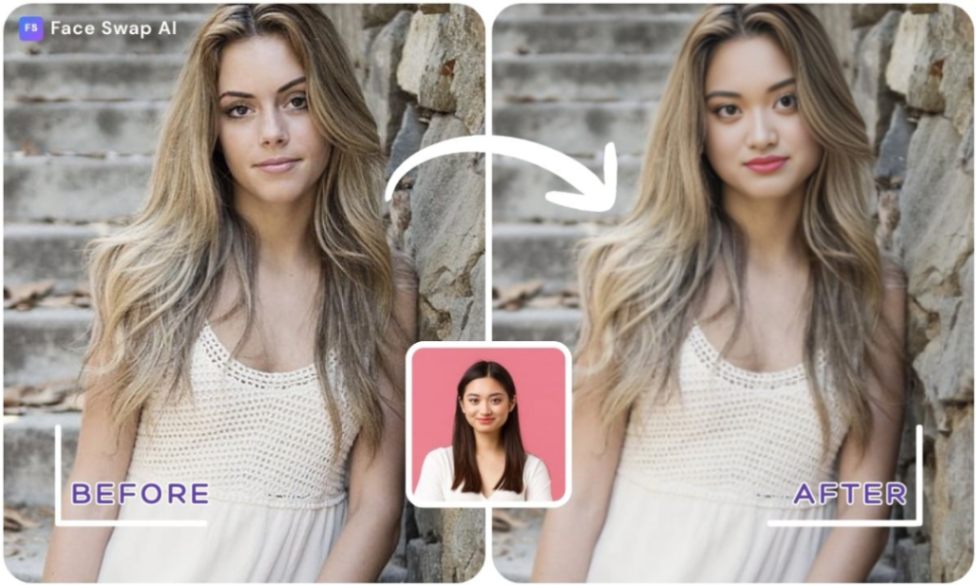
If you want instant results with minimal effort, choose a web‑based face‑swap service. Many tools offer a limited number of free swaps and require no installation. They are perfect for quick memes, profile pictures or trying an idea before investing in premium software.
FaceSwapAI – Free Image and Video Swap
FaceSwapAI.com provides a free AI face swap lab where you can upload two photos and let the algorithm intelligently blend faces. There’s no learning curve, and the site processes your photo privately, leaving no watermark. The steps are simple:
- Enter the AI face swap page. Proceed to the Free AI Image Face Swap tool to enter the creative space.
- Upload two high‑quality photos. Use clear, front‑facing images so the algorithm can detect features accurately.
- Generate your creation. The AI combines the images with natural lighting and smooth edge blending, delivering an HD result in seconds.
Want to see your face in a new scene? Try the free image swap and experience instant transformation.
Face Swap AI also offers more specialized tools:
- Multiple Face Swap lets you replace several faces in one photo with different targets. Upload a group photo and the system automatically detects each face.
- Batch Face Swap processes up to ten images at once—ideal for businesses needing uniform staff IDs or event photos.
- GIF Face Swap allows you to place your face into a GIF for animated fun.
These services save you time and deliver realistic results with built‑in beauty enhancements. You can adjust swap strength and edge smoothness for more control.
Other free AI tools
Several competitors also provide free swaps with ads or limited credits:
- Pixlr’s AI Face Swap – Good for quick swaps, but high‑quality results require a paid plan.
- Face Blender / Reface – Popular mobile apps for one‑tap swaps with built‑in templates; results are fun but less realistic.
Option 2. Mobile Apps for Quick Face Swaps
If you’re on the go, consider an app. Many face‑swap apps work offline and allow simple editing on a phone.
- PhotoDirector (CyberLink). This free, popular editor includes AI-powered tools that can isolate subjects, remove backgrounds and enhance photos automatically. The mobile app also offers filters, cartoon effects and gender-style transformations, plus an AI face-swap feature that lets you blend faces in seconds. Its strengths include one-tap cutouts, precise eraser control and versatile photo-enhancing tools such as filters and collages.
- Snapchat and TikTok. Both platforms offer built-in face-swap lenses and effects for quick, shareable results. You can swap faces with friends, celebrities or saved photos, making them perfect for fun social posts.
- Face Swap Booth (iOS/Android). This app provides detailed face-swap controls, templates and mix-and-match features that let you save faces and use them across multiple photos. Great for custom and creative swaps, though free versions may limit resolution or include ads.
Option 3. How to Change a Face in Picture Using Photoshop
For users who need full creative control, manual editing software like Adobe Photoshop offers precision and customization. Adobe’s guide explains that you can layer two images, align them, apply a layer mask and paint in the new face for a seamless result. The steps include:
- Place images on separate layers. Import both photos into the same document. Put the image containing the new face on the top layer so you can blend it into the base photo.
- Align the faces. Use Edit → Auto-Align Layers and scale or rotate the new face so it matches the original facial position and size.
- Mask and reveal the new face. Add a layer mask to the top layer and use a soft brush to paint in the areas you want to keep. This lets the new face appear naturally over the original in real time.
- Blend and color-correct. Adjust skin tones and lighting using tools like Match Color, Curves, Hue/Saturation or Color Balance. Refine edges with gentle feathering or a light Gaussian Blur to create a smooth transition.
Photoshop’s method works well when both photos share similar lighting and composition. It’s ideal for professional projects that require high resolution and detailed retouching, but it takes practice and doesn’t automatically handle multiple faces or moving subjects.
Also Read: How to Make Photo a Video – Free Methods, Online Tools & AI Apps (2025 Guide)
Step‑by‑Step: Changing a Face in a Photo With AI
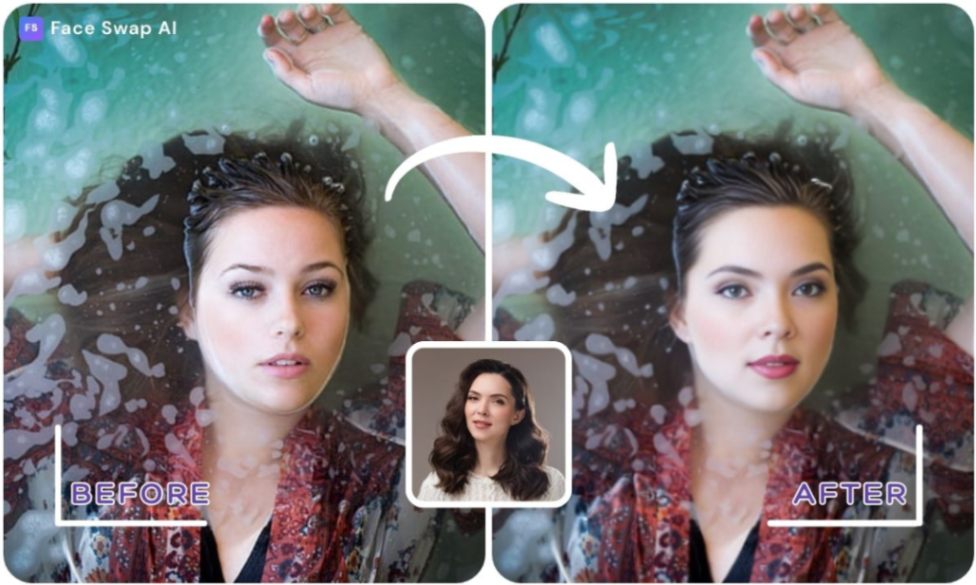
Changing a face in a photo using AI is straightforward. Here’s how to do it with FaceSwapAI’s Image Swap Lab, following grade‑6‑level instructions:
- Prepare your images. Use a clear source photo of yourself and a target image with the face you want. Make sure both faces are front‑facing and well lit.
- Go to the Image Swap page. Click Try Image Swap on FaceSwapAI.com and choose Image Swap. You don’t need an account for a free swap.
- Upload the photos. Upload your source image and target image. The interface shows a preview; you can choose a template from the site if you want to put your face into a famous scene.
- Adjust settings. Use the swap strength slider to control how much of the new face appears and adjust edge smoothness for blending. Play with these until the preview looks natural.
- Generate the result. Click the button to start the swap. In seconds, the AI will produce a new photo. You can download the high‑resolution image without a watermark.
Ready to transform your selfies? Swap your face now and unleash your imagination.
Tips for Realistic and Natural Results
- Match lighting and angle. The AI performs best when the two faces have similar angles and lighting. Using a backlit portrait against a dimly lit target will produce odd results.
- Use high‑resolution images. Blurry faces or compressed photos reduce the AI’s ability to detect features. Aim for at least 500×500 pixels.
- Consider skin tone and color. The algorithm blends skin tones, but close matches look more natural. Adjust swap strength if the new face looks over‑blended.
- Edit lightly after swapping. Small adjustments like brightness, contrast or color grading can make the swap look even more seamless. You can use FaceSwapAI’s Skin Retouch tool to smooth blemishes and adjust skin texture.
Also Read: Face Swap Pictures: How to Swap Faces in Photos with AI Tools & Creative Ideas
Beyond Photos: Exploring Videos, GIFs and Other Creative Tools

Face swapping isn’t just for still images. With the right tools you can animate your swaps, create character videos or even see what a future baby might look like.
Swap Faces in Videos and GIFs
Many AI platforms now allow you to insert your face into clips. For example, FaceSwapAI’s Video Face Swap Lab lets you upload a photo and a video clip, select swap strength, and produce a short face‑swapped video. Swapping faces in videos can be an entertaining way to engage your audience.
Ever wondered what you’d look like in your favourite movie? Try the AI video swap and become the star of your story.
For animated memes, try Face Swap AI’s GIF Face Swap. Upload a GIF and your photo, adjust smoothness, and watch your face animate in a loop—perfect for reaction GIFs and social media posts.
Predicting Babies and Retouching Skin
FaceSwapAI goes beyond swapping faces. Its Predict Baby tool uses AI to imagine what a child might look like based on parental photos. This playful feature allows you to select the baby’s gender and age, producing results for ages 1 through 18. Remember, these predictions are for fun and not scientifically accurate.
The Skin Retouch tool lets you upload a selfie and remove acne or smooth skin texture. This can help your swapped faces blend better in the final image.
Curious about the future? Predict your baby’s look with our friendly AI, then share the results with loved ones!
Advanced Creative Ideas
- Multiple and batch swaps. Use the Multiple Face Swap tool to replace all faces in a group photo with different targets, or try Batch Face Swap to process up to ten photos at once.
- Templates for social media. Explore TikTok and Facebook video templates on Face Swap AI to create face‑swapped reels from your favorite clips.
- Image‑to‑Video creation. Turn a static image into a moving story by pairing it with a descriptive prompt using FaceSwapAI’s Image to Video tool.
Also Read: Video Swap Face AI: How to Change Faces in Any Video – Free Apps & Pro Tips
Safety, Ethics and Privacy
Face swapping can be a source of joy and creativity, but misuse of AI‑generated images raises serious legal and ethical issues. Deepfakes—hyper‑realistic manipulations created with AI—can pose risks to privacy, reputations and even public safety.
Using someone’s likeness without consent may lead to defamation, privacy violations or intellectual property infringement. Laws such as California’s anti‑deepfake legislation and the proposed DEEPFAKES Accountability Act in the United States aim to regulate harmful deepfake content.
To use face swap technology responsibly:
- Get permission. Always ask consent before using someone’s face, especially for commercial or public use.
- Avoid misleading content. Don’t use face swaps to impersonate or misinform people.
- Protect privacy. Use tools like FaceSwapAI that process images securely and delete them after creation. FaceSwapAI emphasizes a privacy‑first ethos: your data isn’t stored or shared.
- Know your rights. If someone uses your image without consent, document the harm and contact legal experts.
Conclusion
Face swapping has grown from a quirky photo edit into a vibrant form of digital self‑expression. Whether you’re fixing a group photo, crafting memes, exploring video effects or imagining future family members, the tools available today make it easy and fun. By understanding how the technology works, choosing the right method and respecting legal and ethical boundaries, you can change a face in a picture with confidence. FaceSwapAI invites you to “Swap. Create. Amaze.” — because your creativity should know no bounds.
Frequently Asked Questions (FAQs)
Can I change a face in photo online free?
Yes. Many web‑based tools offer free face swaps. FaceSwapAI gives you free credits without watermarks, and other sites like Pixlr also provide limited free swaps.
How to change face in photo using AI free?
Upload your source and target images to an AI tool, adjust settings and download the result. The process is automatic and doesn’t require software installation.
Is it safe and legal to use face swap apps?
Face swapping isn’t illegal on its own, but deepfakes can violate privacy, defame people or infringe intellectual property rights. Always get permission from the person whose face you’re using, avoid creating misleading or harmful content and follow local laws.
Do I need technical skills to change a face in a photo?
No. AI tools like FaceSwapAI make face swapping as simple as clicking a button. They are designed for everyday users and don’t require prior editing experience.