Independent multi-face workflow
How to Map Different Faces to People in a Group Photo
Assign a different replacement portrait to each selected person in one group photo, with a reproducible four-face production test, cost and limits.
Method, measurements and limitations reviewed against the published dataset.
Key takeaways
- Different-face mode maps one separately uploaded replacement portrait to each selected target face; it supports 1 to 10 selected targets in one task.
- The action stays disabled until every selected target has its own replacement portrait and the user confirms permission for every uploaded face.
- A task costs 6 credits per selected target face (2 faces = 12, 10 faces = 60), is paid-only and produces a result with no watermark and no account email.
- The published v1 dataset records a real four-face cyclic production run, exact input and output files, hashes, detector boxes, mapping order, dimensions and cleanup evidence.
Open data and method
Use the versioned source files to reproduce the table or cite the current measurement boundary.
1. Choose the mapping contract before uploading
The multiple-face studio has three separate contracts. Pair mode cross-maps exactly two identities already present in one photo. Same-face mode uploads one portrait and applies that identity to selected people. Different-face mode selects between one and 10 target faces and asks for one separate replacement portrait for every selected target.
Use different-face mode when person A should receive source X, person B should receive source Y and each remaining selected person has another intended identity. The row number connects a detected target crop to its replacement upload. Unselected people are not included in the mapping request.
The group photo remains the target reference for position, body, clothing, hair, pose, expression context, framing, lighting and background. The intended edit is visible facial identity, not a full head, hairstyle, body or outfit transfer. Exact preservation of every non-face pixel is not guaranteed.
| Studio mode | Source plan | Target selection |
|---|---|---|
| Swap two faces | The two selected people supply identities for each other | Exactly 2 |
| Same face on selected people | One uploaded source portrait is repeated | 1 to 10 |
| Different face for each person | One uploaded replacement portrait per target | 1 to 10 |
2. Map a separate portrait to every selected target
Sign in, choose different-face mode and upload one permitted group photo no larger than 10 MB. Detection runs before charging and shows the returned faces. Select only the people you intend and are allowed to edit, up to 10 targets.
For each numbered target row, upload one clear JPG, JPEG, PNG or WebP replacement portrait no larger than 15 MB. A row is ready only after it has a replacement image. Changing a selection changes the required mapping rows; the generate action stays disabled while any selected row is incomplete or consent is unchecked.
Review the one-to-one rows, the displayed cost of 6 credits per selected target face and the permission confirmation before submission. The browser sends all mappings in one multiple-face task. When the task completes, inspect every changed face separately before downloading the paid result.
| Step | Required state | What prevents submission |
|---|---|---|
| 1. Upload group photo | Signed-in account and supported image up to 10 MB | No detected face |
| 2. Select targets | 1 to 10 permitted detected faces | No selected target |
| 3. Add replacements | One portrait up to 15 MB for every selected row | Any incomplete row |
| 4. Confirm and generate | Consent and a balance of 6 credits × selected faces | Unchecked consent or insufficient balance |
3. Reproduce the published four-face cyclic mapping
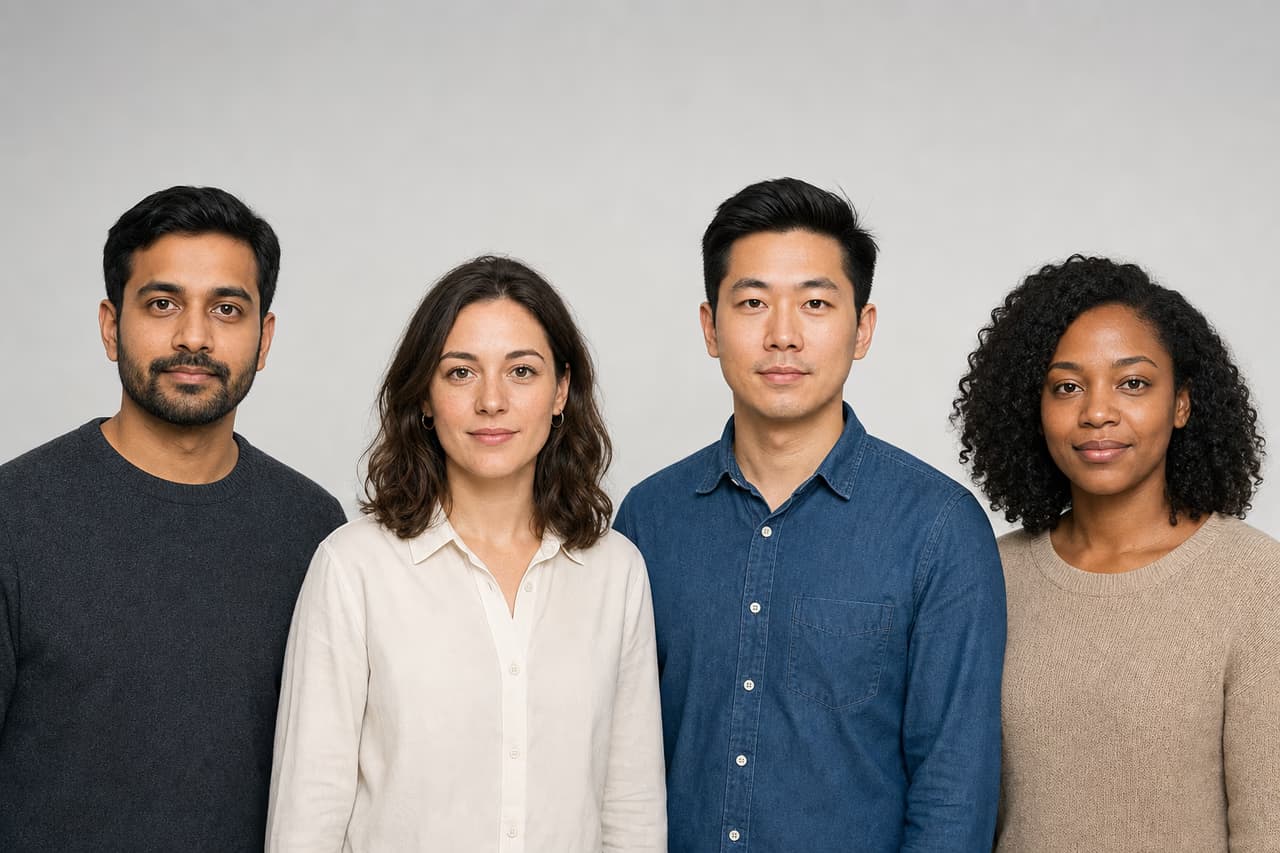
The v1 study used one purpose-built synthetic image containing exactly four fictional adults and no customer or public-figure identity. The production detector returned four regions. They were sorted from left to right, and a separate expanded portrait JPEG was derived around each detected face using a documented 2.4-times square crop.
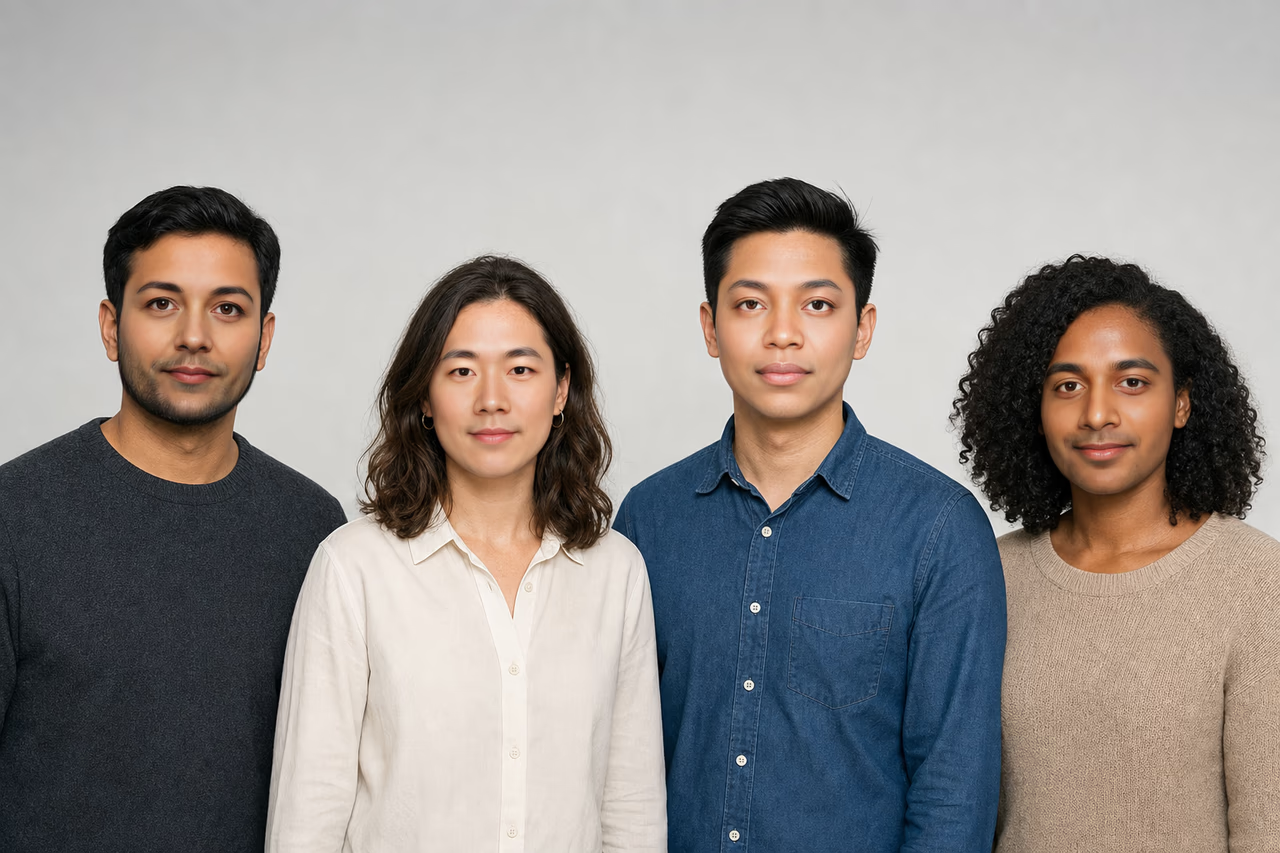
One production task then used a cyclic mapping: person 2 supplied target 1, person 3 supplied target 2, person 4 supplied target 3 and person 1 supplied target 4. The task moved from PROCESSING to COMPLETED, charged 13 credits once under the pricing in effect on July 14, 2026 (the same four-face task now costs 24 credits) and returned a 1536 × 1024 PNG. Input and output dimensions matched in this run.
The exact input and output PNG files are downloadable above. The JSON records both SHA-256 hashes, file sizes, all four detector boxes, all four replacement crop boxes and hashes, mapping order, observed task states, starting and ending credits, and confirmation that the temporary queue job, Redis session, private files and database rows were removed.
| Target position | Replacement position | Observed target box |
|---|---|---|
| 1 | 2 | x 38 · y 276 · 171 × 232 |
| 2 | 3 | x 516 · y 364 · 160 × 208 |
| 3 | 4 | x 863 · y 270 · 161 × 231 |
| 4 | 1 | x 1247 · y 369 · 164 × 224 |
4. Separate verified task behavior from visual-quality claims
This run verifies that the current browser/API contract can carry four distinct source-to-target mappings in one paid task, that the public detector found the four source regions, that the task completed and that the exact output file can be inspected. The visible result also lets readers check whether each position changed according to the published cycle.
It does not establish a universal identity-accuracy score, average success rate or guarantee for another photo. Detector success is not identity measurement. Matching dimensions do not prove every non-face pixel is unchanged. One synthetic scene cannot represent profiles, tiny background faces, obstruction, motion blur, unusual lighting or the full range of human appearance.
The first attempted run is also informative: tightly cropped detector thumbnails caused the upstream service to reject one source. The successful run used larger 2.4-times portrait crops, matching the product guidance to upload a complete, clear replacement portrait instead of an extremely tight face chip.
5. Improve each source-target pair instead of treating the group as one input
Judge every row independently. A sharp source may still be a weak match for a tiny, angled or obstructed target. Prefer a complete face, useful head angle, natural detail and compatible lighting in every replacement portrait. Avoid screenshots, collages, heavy filters, masks, hands across the face and extreme crops.
After generation, compare identity resemblance, target expression and gaze, cheek and jaw boundaries, hair and ear integration, and surrounding scene preservation for each person. If one row is weak, change that source or target condition rather than resubmitting all unchanged inputs. A completed but visually weak result is different from a provider failure.
No result resolution, processing time, resemblance or edge quality is guaranteed. The readiness checker can expose file-level risks, but it cannot predict the proprietary provider outcome for a particular mapping.
6. Verify cost, paid output and retention
FaceSwapAI: one image costs 6 credits; multiple-face swap costs 6 credits per selected target face; video and GIF cost 3 credits per server-measured input second, rounded up, with a 9-credit minimum.
A multiple-face result has no watermark and never contains the account email. If a task fails on our side, its credits are refunded automatically, once. A successful visual result is not automatically refundable merely because an input produced a weak likeness.
Uploaded and generated task files are scheduled for deletion after 24 hours and may disappear earlier; upstream-provider policies also apply. Download an approved result while available and keep the source rights, consent and final approval in controlled project storage.
7. Obtain permission for every source and target identity
Use only media you own or are permitted to edit, and obtain consent from every identifiable source and target person. One group task can involve many different identities; permission for one person does not cover the remaining rows. The product checkbox records your confirmation but does not create permission for anyone else.
Disclose the edit when viewers could mistake it for a real event, team, relationship, endorsement or statement. Do not use independent mapping for deceptive impersonation, harassment, non-consensual intimate imagery, illegal activity or content involving minors. A more convincing multi-person output requires more careful context, not less.
Ready to apply the checklist to your own permitted media?
Questions this guide answers
Can I assign a different face to each person in one group photo?
Yes. Choose different-face mode, select 1 to 10 detected targets and upload one separate replacement portrait for every selected row.
How many replacement portraits can I map in one task?
The browser supports one replacement for each of up to 10 selected target faces. Every selected target must have a replacement before generation is enabled.
Does mapping four or 10 faces cost more than one face?
Yes. A multiple-face task costs 6 credits per selected target face (2 faces = 12, 10 faces = 60), so four mappings cost 24 credits. It is paid with one-time credits; there is no free trial.
Was the published four-face result generated in production?
Yes. The v1 JSON records the exact input and output hashes, detector and crop boxes, cyclic mapping, task state observations, the 13-credit balance change (30 to 17) under the July 14, 2026 pricing and temporary-data cleanup for one production run.
Does the four-face study guarantee the same quality for my photo?
No. It documents one synthetic production run. Detection, identity resemblance, boundaries, dimensions and provider behavior can differ for other source and target images.
Will a paid mapped result include a watermark or my email?
No. Every result, including paid multiple-face output, has no watermark and never contains the account email. Task files are scheduled for deletion after 24 hours.