FaceSwapAI Logo - AI Face Swap Technology
Face Swap AI

Troca de Rosto em Lote com IA

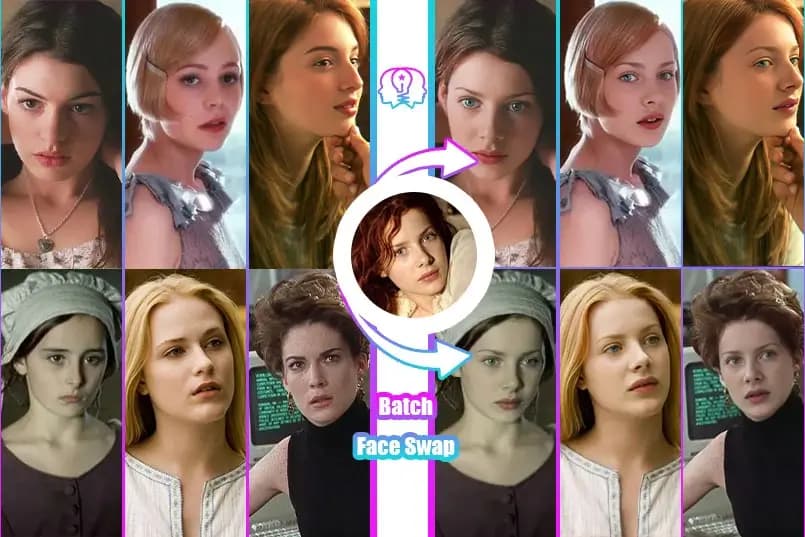
Use tecnologia de IA avançada para substituir rostos em lote em múltiplas imagens com um clique. Suporta substituir múltiplas imagens de destino com uma imagem de origem, ou substituir uma imagem de destino com múltiplas imagens de origem.

Batch Face Swap example banner showing face swap demo

Fazer Upload da Imagem de Origem (o rosto a ser substituído)

Faça upload de uma imagem contendo o rosto a ser substituído

Origem

Fazer Upload das Imagens de Destino (múltiplas)

Clique para fazer upload de múltiplas imagens contendo rostos a serem substituídos

Destino

Selecionar Modelo
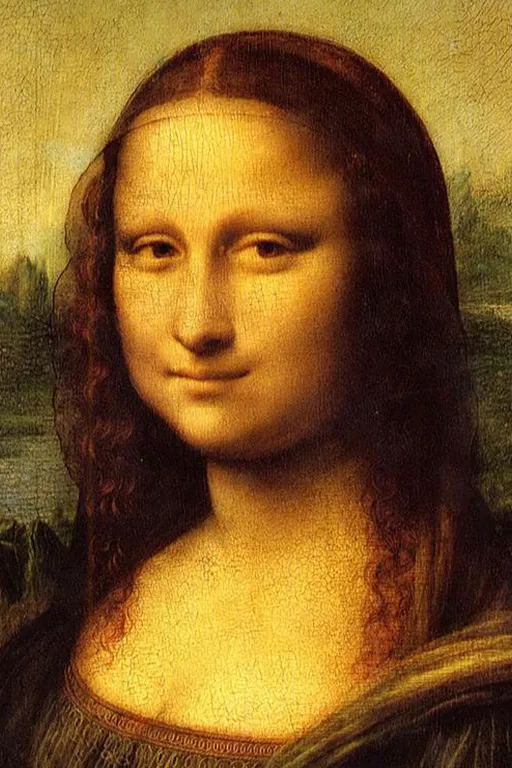
Batch Image Swap template 1 preview
Preview
Batch Image Swap template 2 preview
Preview
Batch Image Swap template 3 preview
Preview

Resultados

Após fazer upload das imagens de origem e destino, clique em "Iniciar Processamento em Lote"

Histórico

Nenhum histórico ainda

Imagens processadas serão exibidas aqui

Dicas

  • Certifique-se de que os rostos estão claramente visíveis nas imagens enviadas
  • Boa iluminação e fotos frontais funcionam melhor
  • Até 10 imagens podem ser processadas de uma vez
🔗 Gostou? Compartilhe com seus amigos!

Troque rostos em 3 passos

📤
01

Enviar fotos

Envie um rosto fonte e uma foto alvo. Formatos: JPG, PNG, WEBP.

🤖
02

Processamento AI

Nossa IA analisa características faciais e as troca em segundos.

03

Baixar resultado

Visualize e baixe a imagem HD sem marca d'água.

Recursos

📦

Batch Processing

Process hundreds of photos simultaneously.

⏱️

Time Saving

Save hours of manual work.

📊

Consistent Results

Same quality across all images.

Casos de Uso

🏢

Business

Perfect for marketing campaigns.

📸

Photography

Ideal for photographers.

What is Batch Face Swap? Complete Guide 2026

Batch Face Swap lets you process multiple images at once with the same source face. Perfect for creating consistent content series, processing event photos, or bulk editing.

Upload one source face and multiple target images - our AI will swap faces in all images simultaneously, saving you hours of manual work.

Ideal for content creators, photographers, and anyone who needs to process many images quickly and consistently.

How Does Batch Processing Work?

Upload your source face once, then add up to 10 target images. The AI queues all images and processes them in parallel, applying consistent face swapping across the entire batch.

How to Use Batch Face Swap

1

Upload Source Face

Upload the face you want to appear in all images.

💡 One high-quality photo works for entire batch.
2

Add Target Images

Upload up to 10 target images at once.

💡 Drag and drop multiple files together.
3

Start Batch Process

Click process and AI handles all images.

💡 Progress shown for each image.
4

Review Results

Preview all swapped images in gallery view.

💡 Re-process individual images if needed.
5

Download All

Download all results as a ZIP file.

💡 One-click download for convenience.

Batch Face Swap Features

📦

Process Up to 10

Swap faces in up to 10 images at once.

Benefícios:

  • Massive time savings
  • Consistent results

Parallel Processing

All images processed simultaneously.

Benefícios:

  • Faster than one-by-one
  • Efficient queue system
📥

Bulk Download

Download all results in one ZIP file.

Benefícios:

  • No individual downloads
  • Organized output
🔄

Re-process Option

Re-process individual images without restarting.

Benefícios:

  • Fix specific images
  • Keep good results
📊

Progress Tracking

See status of each image in real-time.

Benefícios:

  • Know what's processing
  • Estimated completion time
💰

Free Batch

Batch processing included free.

Benefícios:

  • No premium needed
  • Full functionality free

Batch Face Swap Use Cases

📸

Event Photos

Process all photos from an event quickly.

📝 Exemplo:

Swap faces in all party photos for a fun gift.

📱

Content Series

Create consistent face swaps for content series.

📝 Exemplo:

Make a series of memes with the same face quickly.

🎨

Creative Projects

Artists use batch for series with consistent faces.

📝 Exemplo:

Create art series where one face appears in different scenes.

👔

Professional Use

Quick editing for professional photo needs.

📝 Exemplo:

Process multiple headshots or marketing materials.

Batch Processing Comparison

FunçãoFaceSwapAIOutros
Max Images10 at once1-3 only
Parallel ProcessingYesSequential
Bulk DownloadZIP fileIndividual
PriceFreePremium
Re-processIndividualAll or nothing
Progress TrackingReal-timeNone

Batch Processing Tips

💡Same Quality Source

Use a high-quality source face for consistent results across all images.

💡Similar Target Images

Batch works best when target images have similar lighting and angles.

💡Check Before Bulk Download

Preview all results before downloading to catch any issues.

💡Organize Targets

Name your files clearly so downloaded results are easy to identify.

Ferramentas

Perguntas Frequentes Lote

Respostas às perguntas mais frequentes

Até 10 imagens.
Sim, processamento simultâneo.
Download ZIP.
Sim, sem custos adicionais.

Avaliações de Usuários

O que 3 usuários estão dizendo

4.7
de 5
★★★★★
Baseado em 3 avaliações
R

Rafael Lima

★★★★★

Troca de rosto muito precisa, parece real!

April 2, 2025
B

Beatriz Carvalho

★★★★

Funciona muito bem em fotos claras, mas sofre um pouco em ambientes escuros.

March 21, 2025
J

João Pedro

★★★★★

Simplesmente incrível, resultado natural e divertido.

January 30, 2025